


Application receivedCV and answers added to the profile
A Teamtailor alternative that brings your employer story into everyday work
Make your employer story something people experience before and after they join.
Why choose CapoFine?
Choose CapoFine when the employer story should continue through introductions, interactive company learning and role development. Hire attracts applicants; Onboard and Grow give that story practical substance after acceptance.
How to choose a Teamtailor alternative
Decide what the new system must do better before you compare vendors. Then test each option with one of your own vacancies.
Check what your Teamtailor quote covers
Which features sit outside the standard plan?
Teamtailor’s pricing page includes unlimited job postings and users. It marks requisitions and approval flows, and divisions and multi-brand management, as Premium. Its help centre describes onboarding as an add-on with an additional cost, and e-signing as a separate add-on. Ask every alternative to price the same scope, so you compare like with like.
When is staying with Teamtailor the better choice?
Stay when your career site and candidate nurture are the main requirements and the onboarding add-on covers the forms, tasks and documents you need. A new system would then add migration work without solving a problem. Switch when the gap you have named in step 2 matters more than the cost of moving.
Name the gap you want to close
Is the gap in recruiting or after the offer?
If the hiring team needs more structure, compare stages, interview scheduling, scorecards and debriefs. If the problem starts after acceptance, compare how an accepted candidate becomes an employee journey: who receives which tasks, when the manager and buddy are involved and where the signed offer is kept.
Should onboarding collect information or teach the company?
Teamtailor’s onboarding add-on lists templates, scheduled messages, forms, to-dos, documents, a welcome message and highlighted colleagues. If starters also need to learn how your company works, check how each alternative handles interactive company learning and role courses, and what that costs. In CapoFine, Onboard adds company stories, people puzzles and daily missions, and Grow continues with role courses, assessments and certificates.
Test each alternative with one real vacancy
What should the demo show?
Bring one current vacancy and ask the vendor to take it from publication to the first week: the branded application, a stage change, a self-scheduled interview, a scorecard and debrief, the offer document sent for signing, and the handoff to onboarding. Note every step that needs an export, a second login or a re-entered date.
How do you judge the result?
Example: a 120-person software company replacing Teamtailor for a customer success hire. The recruiter checks that interview feedback stays on the application, that the signed offer remains on the candidate record and that the manager’s first-week tasks start from the accepted hire. Each workaround goes into the comparison as an extra cost, next to the Premium features and add-ons in step 1.
Give candidates a clear introduction to the role
Your vacancy is often the first detailed account of what working with you means. Hire gives it a branded career presence and an application flow, with room for the role’s content and questions. The recruiter can follow applications, conversations and interview feedback from the same workspace.
Generate vacancy videos from the job content when the campaign needs another format. Keep the candidate relationship moving with talent pools, scheduled messages and self-scheduling. Hiring stages and scorecards give the team a common process as they meet the people responding to that employer story.
- Publish vacancies through your branded career presence.
- Create vacancy videos from the role content.
- Keep interview feedback attached to the application.

Let employees experience the company they applied to
An employer promise becomes meaningful through the people and practices a starter encounters. Onboard lets you build that experience deliberately. Arrange a buddy meeting, give the manager a welcome task and introduce the company through stories, puzzles and missions that the employee takes part in.
The Suite handoff starts the journey after hiring. Target activities by role, department and location, with practical preparation alongside company discovery. Early goals and check-ins give the manager a reason to discuss how the first weeks are going, while task owners can follow their own commitments.
- Connect the accepted hire to their welcome.
- Introduce colleagues through stories and people puzzles.
- Give each stakeholder a clear responsibility.
Carry company knowledge into role development
The employer story also lives in how people do their work. Grow lets you teach the product knowledge, customer situations and ways of working that make your business distinctive. Create courses from your own content and organise them into learning pathways for different roles.
Use practice and formal assessments to move from recognition to understanding. Employees can revisit lessons, retry an assessment and earn completion certificates. Learning owners can see progress and results, making the programme useful to experienced employees as well as the people who have just joined.
- Turn company expertise into your own courses.
- Build learning pathways for different roles.
- Measure completion and assessment results.

CapoFine vs Teamtailor
Ten key features to compare when choosing your Teamtailor alternative.
| What matters to your team | CapoFineHire · Onboard · Grow | TeamtailorProduct offering |
|---|---|---|
| Branded career pages | Included Hire career pages and application forms use your employer brand. | Available Branded site with content blocks, pages and language options. |
| Configurable hiring stages | Included Configure stages, owners and reusable hiring flows in Hire. | Available Custom hiring stages and stage triggers. |
| Candidate communication | Included Gmail and Outlook connections, shared timelines, scheduled and bulk messages. | Available Templates, bulk messages and nurture campaigns. |
| Candidate self-scheduling | Included Candidates choose interview times through connected Google or Microsoft calendars. | Available Smart Schedule sends candidates available meeting times. |
| Structured interview feedback | Included Post-interview scorecards, blind feedback and debriefs support human decisions. | Available Interview kits and scorecards support team feedback. |
| Talent pools | Included Consent-aware rediscovery, recommendations, invitations and withdrawal. | Available Connect talent pools and candidate nurture. |
| Automatic vacancy videos | Included Generate vacancy videos from job content; advertising spend and channel publication are separate. | Not confirmed Career-site video content is supported; ask about generating videos directly from vacancy content. |
| Onboarding tasks and people | Included Onboard coordinates tasks, meetings, owners, deadlines and reminders. | By plan or module Paid add-on with tasks, forms, messages and documents. |
| Company stories and puzzles | Included Interactive stories, puzzles and missions help employees discover the company. | Not confirmed Ask to see how employees would explore company stories and complete interactive puzzles. |
| Ongoing employee learning | Included Grow course builder, role pathways, formal assessments, retries and completion certificates. | Not confirmed Ask how your team would author employee courses and run formal learning assessments. |
What can your team do with each?
Look beyond the feature names. Compare the work you want to bring together.
CapoFine
Our recommendationPublish branded vacancies and generate vacancy videos in Hire, then introduce the workplace through Onboard stories, people puzzles, buddy meetings and daily missions. Grow carries company and role knowledge into ongoing learning, with formal assessments and completion records.
- The employer story should continue after the offer is accepted.
- Vacancy content needs branded pages and video formats.
- New starters should learn through company stories and puzzles.
- Managers and buddies need structured involvement in the first months.
- Role development belongs alongside recruitment and onboarding.
Teamtailor
Teamtailor fits recruitment teams that put career-site ownership and candidate relationships first. Its paid onboarding add-on extends the ATS with templates, messages, forms, documents and assigned tasks.
- Career-site ownership is the leading recruitment requirement.
- Connect talent pools and candidate nurture are established team workflows.
- Teamtailor’s paid onboarding add-on covers the intended employee tasks.
Hire2:11 film
From application to signed offer.
Follow an application through candidate communication, interviews, feedback and a signed offer.
Watch video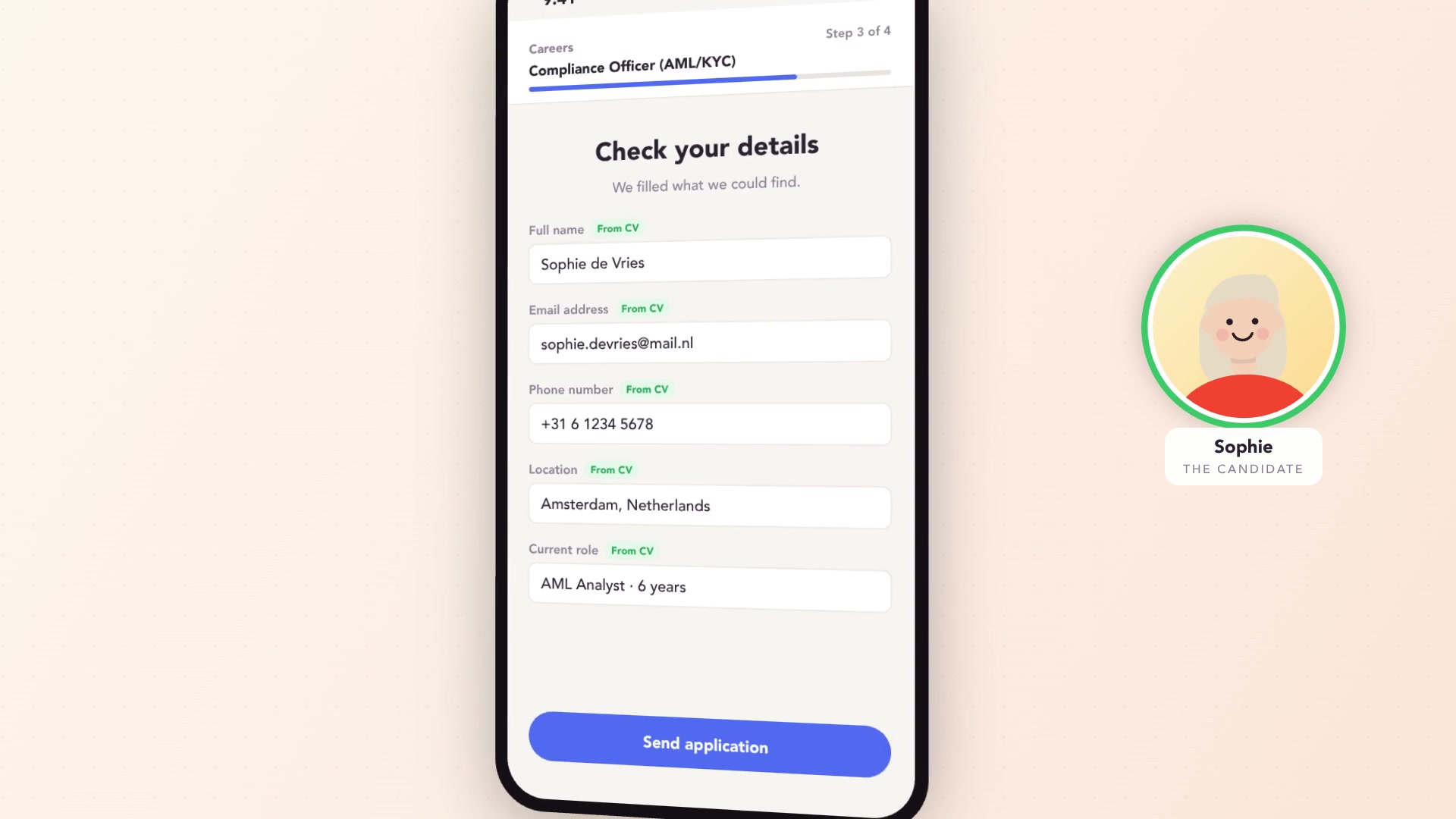 Play Hire overview
Compare the whole cost.
Teamtailor quotes its recruiting product with unlimited users and job postings. Its pricing page marks requisitions and approval flows, and divisions and multi-brand management, as Premium. Onboarding and e-signing are add-ons. Include recruiter access, employee journeys, learning capacity and vacancy-video usage when comparing the complete purchase with CapoFine.
Your CapoFine package
Choose Hire, Onboard or Grow for the work you need today, or bring them together in the Suite. Your proposal covers capacity, migration, implementation and any optional services.
See CapoFine pricingReady to switch
to CapoFine?
Plan the move around the experience people see before and after joining. Preserve the employer content and candidate relationships worth keeping, then adapt that material for a new starter. The career page, onboarding journey and first course should each serve a different moment.
Plan your move with usExplore security and data handlingCollect the employer content and live work
Inventory career pages, images, vacancy text and active campaigns. Record the destination of each application link and the candidates still in process. Keep consent, owners and interview feedback with the records that need to remain available to your recruiting team.
Build the story for candidates and employees
Create the career presence and application flow in Hire. Adapt the company material into Onboard activities with the manager and buddy, then choose a role topic for Grow. Give each format a clear purpose instead of copying the same page into every product.
Coordinate the application changeover
Check forms, vacancy links and calendar connections before changing where candidates apply. Review scheduled communication and ownership of ongoing interviews. Walk through the handoff into Onboard so the next accepted candidate receives the right people, activities and learning for their role.
Bring these to your demo
- Employer assets and career-page content.
- Active applications, consent and talent-pool ownership.
- Company stories and role-learning material.
More about CapoFine vs Teamtailor
What is the best Teamtailor alternative?
It depends on the gap you need to close. If the career site and candidate nurture already work, Teamtailor may remain the right choice. If you need structured hiring, onboarding and role learning in one connected journey, compare CapoFine Hire, Onboard and Grow against the same vacancy and the full scope of your Teamtailor quote.
Does Teamtailor offer its own onboarding?
Yes. Teamtailor has a paid onboarding add-on with templates, tasks, forms, messages and documents. CapoFine brings onboarding together with company stories, puzzles, buddy activities and ongoing Grow learning.
Can CapoFine turn vacancies into videos?
Yes. Hire generates vacancy videos from job content. Advertising spend and publication on external channels are separate parts of a campaign, so include those responsibilities in your campaign plan.
Can onboarding differ by role or location?
Yes. Onboard targets journeys by role, department and location. You can give different groups relevant tasks, meetings, company content and goals while keeping common activities across the organisation.
What happens to candidates already in an interview process?
Keep a list of active applications, interview arrangements and scheduled communication. Decide who finishes each step and where its history will remain accessible. Include those records in the export and migration requirements before changing application links.
Still comparing?

Come see what your team could do with CapoFine.
Bring a vacancy, a new starter or a learning challenge. We’ll show you how it works.
Book a demo